Best Budgeting Apps That Actually Help You Take Control of Money
For the longest time, I thought budgeting was something I was bad at.
I tried budget spreadsheets, notes on my phone, and even mental math (which never worked). No matter what I did, I always felt like my money was slipping through the cracks.
Then, I started using budgeting apps!
Having my numbers in one place, automatically tracked, clearly organized, and easy to review, made budgeting feel less overwhelming and way more realistic. I wasn’t guessing anymore. I could actually see where my money was going and make adjustments before things got out of hand.
That’s why budgeting apps are so helpful. They don’t magically fix your personal finances, but they make managing your money simpler, faster, and more consistent, which is what most people really need.
In this guide, I’m breaking down the best budgeting apps to help you manage your finances, track spending, and finally stick to a budget that works. I’ll explain what each app does best, who it’s ideal for, and how to choose the right one based on your situation.
Because the best budgeting app isn’t the fanciest one, it’s the one you’ll actually use!
What to Look for in the Best Budgeting Apps
Before choosing a budgeting app, I learned the hard way that not all apps are created equal. Some look great but lack flexibility. Others do a lot… but feel overwhelming to use.
The best budgeting apps share a few key features that make managing money easier, not more complicated. Here’s what I personally look for before committing to any app.
1. Ease of Use
If an app is confusing or time-consuming, you won’t stick with it. The best budgeting apps are intuitive, clean, and easy to navigate, even for beginners.
Ask yourself:
- Can I understand this app in 10 minutes or less?
- Does it feel simple or stressful?
If it feels overwhelming, it’s probably not the right fit.
2. Automatic Bank Syncing
Manually entering every transaction gets old fast. Apps that sync with your bank accounts save time and reduce errors.
Automatic syncing allows you to:
- Track spending in real time
- See where your money is going
- Catch overspending early
This feature alone can make budgeting far more consistent.
3. Custom Categories
Everyone’s spending looks different. The best apps let you customize categories so your budget actually matches your life.
Whether it’s groceries, dining out, subscriptions, or hobbies, customization matters.
4. Goal Tracking
A budget without goals feels pointless.
I always look for apps that let me track:
- Emergency fund savings
- Debt payoff
- Vacation funds
- Big purchases
Seeing progress toward a goal is incredibly motivating.
5. Flexibility
Life changes, and your budget should too.
The best budgeting apps allow you to:
- Move money between categories
- Adjust monthly budgets
- Adapt to irregular income
Rigid apps make budgeting harder than it needs to be.
6. Security
You’re connecting sensitive financial data, so security matters.
Look for:
- Bank-level encryption
- Read-only access
- Two-factor authentication
If an app doesn’t take security seriously, it’s a no-go.
7. Free vs Paid Options
Some apps are free. Others charge a monthly or annual fee.
Free apps can work great if you’re just starting.
Paid apps often offer:
- Better automation
- Advanced goal tracking
- Cleaner interfaces
- More control
The key is deciding whether the features are worth the cost for you.
Don’t chase the “perfect” app. Choose the one that fits your habits, your goals, and your lifestyle.
Best Budgeting Apps to Manage Your Finances (Reviewed)
There’s no single “best” budgeting app for everyone, but there is a best app for your situation. Below are some of the best budgeting apps I’ve personally used, tested, or researched in depth, along with who each one is best for.
YNAB (You Need A Budget) – Best Overall Budgeting App
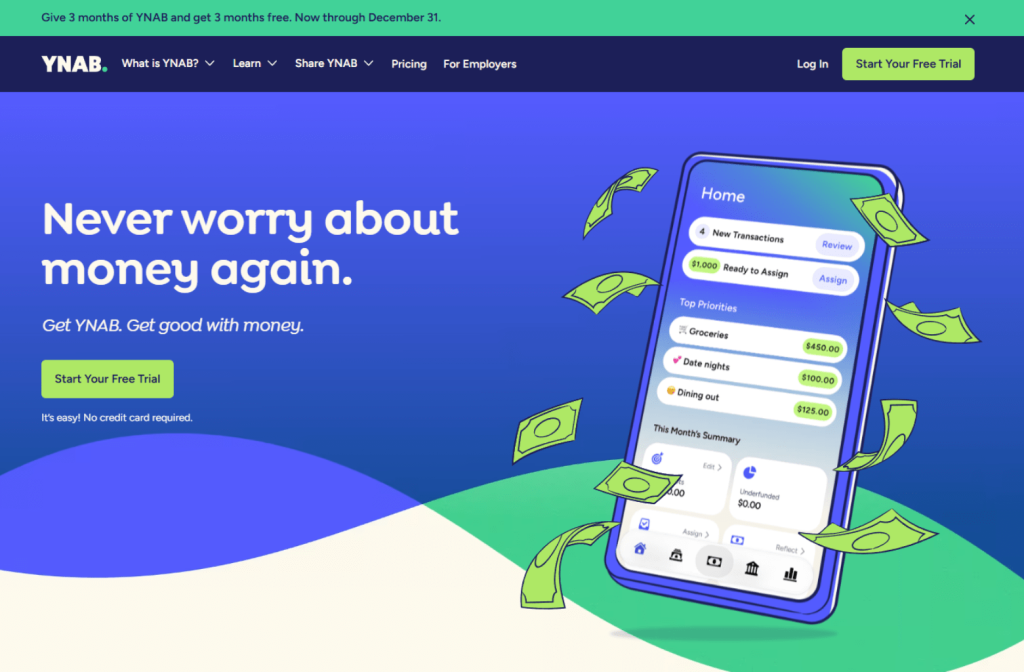
If you want full control over your money, YNAB is hard to beat.
YNAB is built around zero-based budgeting, meaning every dollar gets a job. Instead of budgeting future money, you only budget the money you actually have, which completely changes how you think about spending.
What I like about YNAB:
- Forces intentional spending
- Excellent for building strong money habits
- Great for irregular income
- Powerful goal tracking
- Highly customizable
Downsides:
- Paid app
- Learning curve at first
- Not ideal if you want a “hands-off” approach
Best for:
People who want structure, control, and are serious about sticking to a budget long-term.
Monarch Money – Best for Couples & Families
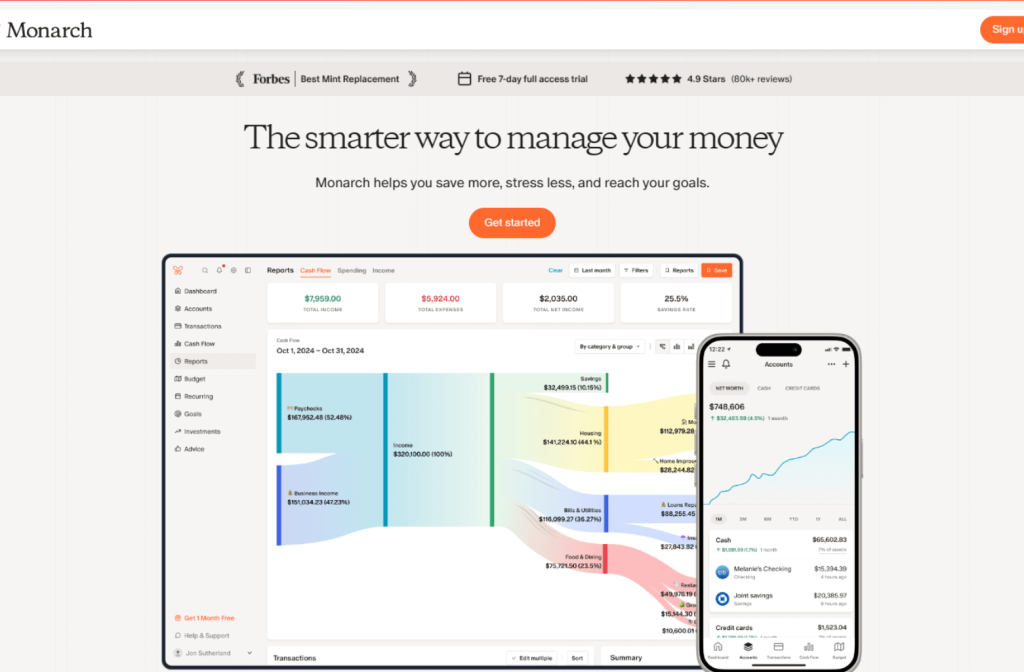
Monarch Money is one of the cleanest, most modern budgeting apps available and it really shines for shared finances.
You can sync multiple accounts, share budgets, track goals together, and see everything in one dashboard. In my opinion, it’s the best app for budgeting for couples.
What I like about Monarch Money:
- Beautiful, intuitive interface
- Excellent for couples
- Strong goal tracking
- Custom categories
- Shared visibility
Downsides:
- Paid app
- May feel like “too much” for solo users
Best for:
Couples or families who want transparency, shared goals, and collaboration.
EveryDollar – Best for Simple Zero-Based Budgeting

EveryDollar is a beginner-friendly budgeting app that focuses on simplicity. It follows a zero-based budgeting approach but keeps the layout clean and easy to understand.
There’s a free manual version and a paid version with bank syncing.
What I like about EveryDollar:
- Very simple to use
- Great for budgeting beginners
- Clear category-based layout
- Encourages intentional spending
Downsides:
- Bank syncing requires the paid version
- Less flexible than YNAB
Best for:
People who want zero-based budgeting without complexity.
Goodbudget – Best Envelope Budgeting App

Goodbudget is perfect if you like the envelope budgeting system, but don’t want to deal with physical cash.
You allocate money into digital envelopes for categories like groceries, gas, or fun money, and once the envelope is empty, spending stops.
What I like about Goodbudget:
- Great for overspenders
- Clear spending limits
- Simple and visual
- Encourages discipline
Downsides:
- Manual transaction entry (free version)
- Less automation
Best for:
People who need strong spending boundaries and visual limits.
Copilot Money – Best Visual Budgeting App (iOS)

Copilot Money is one of the most visually appealing budgeting apps available, but it’s only available on iOS.
It offers smart categorization, clean graphs, and a modern design that makes budgeting feel less boring.
What I like about Copilot Money:
- Beautiful interface
- Smart transaction categorization
- Great visual breakdowns
- Easy to understand trends
Downsides:
- iOS only
- Paid app
Best for:
Apple users who want a modern, visually driven budgeting experience.
Free vs Paid Budgeting Apps – Is It Worth Paying?
One of the biggest questions people ask when choosing budgeting apps is:
“Do I really need to pay for one?”
I’ve used both free and paid budgeting apps, and the truth is, both can work. The right choice depends on what you need and how involved you want to be.
Here’s how I break it down.
When a Free Budgeting App Is Enough
Free apps can be a great starting point, especially if you’re new to budgeting or just want more awareness around your spending.
A free budgeting app is usually enough if:
- You’re just getting started
- You mainly want to track spending
- You don’t need advanced customization
- You’re okay with ads or limited features
- You want a low-effort setup
Apps like Mint or free versions of other tools do a solid job at showing where your money goes.
For many people, awareness alone is enough to improve their finances.
(Find free financial tools here at MyMoney.gov)
When a Paid Budgeting App Is Worth It
Paid budgeting apps usually offer more control, flexibility, and automation, which can make sticking to a budget much easier.
A paid app may be worth it if:
- You want deeper control over your money
- You prefer zero-based budgeting
- You have irregular income
- You budget as a couple or family
- You want strong goal tracking
- You want fewer distractions
Apps like YNAB, Monarch Money, or Copilot offer a more refined experience that can save time and reduce stress.
How I Think About the Cost
Here’s how I look at it:
If a budgeting app costs $10–$15 per month but helps you:
- Avoid late fees
- Cut overspending
- Save hundreds per month
- Stay consistent long-term
Then it’s usually worth the investment.
That said, no app, free or paid; will work if you don’t actually use it!
The best budgeting app isn’t the cheapest or the most expensive, it’s the one that fits your habits and keeps you engaged.
Best Budgeting App Based on Your Situation

Choosing the best budgeting app gets a lot easier once you stop asking,
“What’s the best app overall?”
and start asking,
“What’s the best app for me?”
Here’s how I’d match the best budgeting apps to different situations.
If You’re a Complete Beginner
You want something simple, visual, and not overwhelming.
Best options:
- Mint – Free and easy to start
- EveryDollar – Clean, beginner-friendly layout
These apps help you build awareness without information overload.
If You Want Full Control Over Your Money
If you like structure and want every dollar accounted for, zero-based budgeting is the way to go.
Best option:
- YNAB (You Need A Budget)
It forces intentional spending and builds strong long-term habits.
If You Budget as a Couple or Family
Shared finances require transparency and collaboration.
Best option:
- Monarch Money
It makes joint budgeting clear, simple, and collaborative.
If You Have Irregular or Freelance Income
When income changes month to month, flexibility is essential.
Best option:
- YNAB
It’s excellent at handling variable income and planning ahead.
If You Struggle With Overspending
Visual limits and spending boundaries help curb impulse spending.
Best option:
- Goodbudget
Envelope-style budgeting makes overspending obvious and harder to ignore.
If You’re a Visual Learner
If charts, graphs, and clean design motivate you, visuals matter.
Best option:
- Copilot Money (iOS only)
Its modern interface makes budgeting easier to understand and stick to.
If You Want the Lowest Effort Option
You want minimal setup and mostly automatic tracking.
Best option:
- Mint
It’s not perfect, but it’s easy and fast.
Quick Reminder:
The best budgeting app is the one you’ll actually use consistently. Don’t chase perfection, chase usability.
How to Actually Stick to a Budget Using Apps

Here’s the hard truth I learned:
Downloading a budgeting app doesn’t fix your finances.
Using it consistently does.
The app is just the tool; the habits you build around it are what make the difference. This is precisely how I use budgeting apps to stay consistent month after month.
1. Do a Weekly Budget Check-In (Non-Negotiable)
This one habit matters more than anything else.
Once a week, I spend 10–15 minutes doing a quick check-in:
- Review recent transactions
- Make sure spending is categorized correctly
- See which categories are getting tight
- Adjust before I overspend
Weekly check-ins stop small mistakes from turning into end-of-month disasters.
2. Turn On Notifications and Alerts
Budgeting apps can’t help you if you ignore them.
I always enable:
- Overspending alerts
- Low-balance warnings
- Large transaction notifications
These alerts act like guardrails. They catch problems before they get out of control.
3. Automate Wherever Possible
The more you automate, the less willpower you need.
Inside your app (or connected accounts), automate:
- Savings transfers
- Bill payments
- Debt payments
- Investing contributions
Automation removes decision fatigue and keeps your budget running even on busy weeks.
4. Don’t Overcomplicate Categories
When I first started, I had way too many categories, and it made budgeting exhausting.
Now I keep it simple:
- Essentials (rent, groceries, utilities)
- Spending (food out, fun money, subscriptions)
- Goals (savings, debt, investing)
Simple categories = less friction = more consistency.
5. Adjust the Budget – Don’t Abandon It
Some weeks will go off track. That’s normal.
When that happens, I don’t quit. I:
- Move money between categories
- Reduce spending elsewhere
- Update the budget to match reality
A flexible budget always beats a perfect one that you don’t follow.
6. Use Goals Inside the App
Most budgeting apps let you attach goals to categories; use that feature.
I track things like:
- Emergency fund savings
- Vacation funds
- Debt payoff
- Big purchases
Seeing progress inside the app makes budgeting feel rewarding instead of restrictive.
7. Focus on Progress, Not Perfection
Some months are great.
Some months are messy.
The goal isn’t to follow your budget perfectly; it’s to get better over time.
If you stick with the app long enough, you’ll naturally:
- Spend more intentionally
- Save more consistently
- Stress less about money
And that’s the real win.
The Best Budgeting App Is the One You’ll Use
After trying different tools, systems, and methods, this is the biggest lesson I’ve learned about budgeting apps:
The best budgeting app isn’t the most popular one, it’s the one you’ll actually use consistently.
Some people thrive with structure and love zero-based budgeting. Others want something simple that automatically tracks spending. Some budget alone, some budget as a couple, and some need flexibility because their income changes every month.
There’s no wrong choice, only the wrong expectation that one app will magically fix everything.
Budgeting apps work when you:
- Check in weekly
- Keep things simple
- Adjust when life changes
- Use automation
- Focus on progress, not perfection
If you’re starting, pick one app and commit to using it for 30 days.
Don’t overthink it. Don’t chase the “perfect” setup. Just start.
Because once you build the habit of checking your money regularly, your confidence grows, your stress drops, and managing your finances starts to feel a lot less overwhelming.
The app is just the tool, you’re the system. And when you stay consistent, real financial progress always follows.
Frequently Asked Questions (FAQ)
What are the best budgeting apps for beginners?
The best budgeting apps for beginners are the ones that are easy to use and don’t feel overwhelming. Apps like Mint or EveryDollar are popular starting points because they simplify tracking and help build basic money awareness quickly.
Are budgeting apps actually worth using?
Yes. Budgeting apps help you track spending, stay organized, and make informed decisions faster than manual methods. While they won’t fix your finances on their own, they make consistency much easier.
Are free budgeting apps good enough?
Free budgeting apps can be enough if you’re just starting or mainly want to track spending. Paid apps are often worth it if you want deeper control, better automation, or shared budgeting features.
How often should I check my budgeting app?
I recommend checking your budgeting app at least once a week. Weekly check-ins help you catch issues early and make small adjustments instead of big corrections later.
Which budgeting apps are best for couples?
Budgeting apps that support shared accounts, joint goals, and transparency work best for couples. Apps designed with collaboration in mind make communication and accountability much easier. If I were to recommend one for couples it would be Monarch Money.